-
Script Debugger's 20th Anniversary
While I was distracted with my late wife’s illness, Script Debugger’s 20th anniversary came and went.
Script Debugger 1
Development on Script Debugger 1.0 started in 1993. Version 1.0 was released in late 1994 and was introduced publicly at MacWorld in San Francisco in January 1995. We shared a booth with FrontMost (later renamed FaceSpan) by Software Designs Unlimited.
Here’s how Script Debugger looked back then.
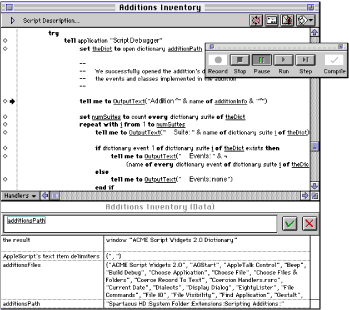
Interestingly, Script Debugger 1 may never have been a product. I was very uncertain about how to market and sell what was really a $129 piece of shareware. BBEdit was the only model of how this could be done by an independent developer. Remember, the Internet was not as it is today. Software was shrink wrapped in boxes containing floppy disks and printed manuals. It took serious cash to produce product. I had 2000 copies made at a cost of CDN$20,000 (1994 $s). The packing boxes filled an entire room in my basement. Software was sold through mail order outlets (MacTech, Apple’s Developer Central, and others) and trade shows like MacWorld and WWDC. The Mac had no presence in computer stores at that time.
I vividly recall standing outside the MacTech booth at WWDC 1995 in San Jose watching people walk up and purchase Script Debugger. I just could’t believe it was actually happening after all the work that had gone into getting those shrink-wrapped packages onto the MacTech shelves. I developed such an appreciation for how things as mundane as a can of soup get onto a store shelf.
Our daughter was born in 1995, and Gerry left her job to work full time with me. We were so naive. We had no idea what we were signing up for.
Script Debugger 2
Script Debugger 2.0 was introduced in 2000, and went on to win the Mac World Eddy for best development tool (we were up against BBEdit that year - I think Rich and the guys promised Gerry a bottle of champaign - I was at home looking after our 4 year old daughter). I was bummed because I later discovered the presenter that year was John de Lancie who played one of my favourite Star Trek Next Generation characters “Q”.

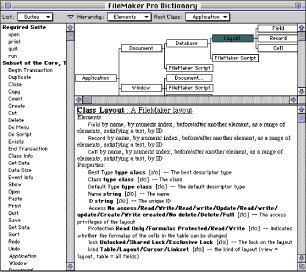
Here’s a little of how Script Debugger 2 looked at the time:
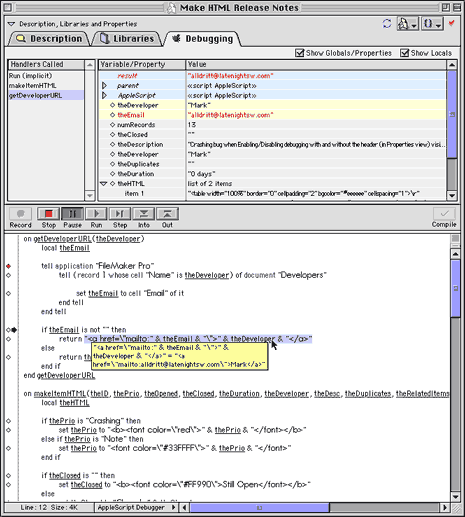
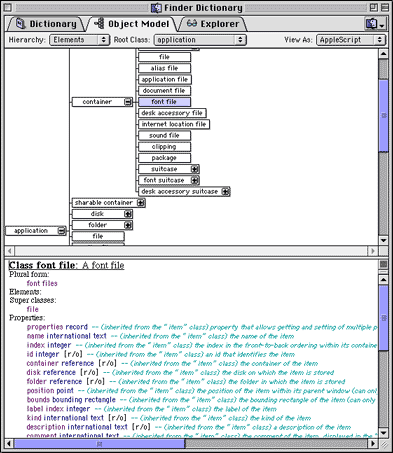
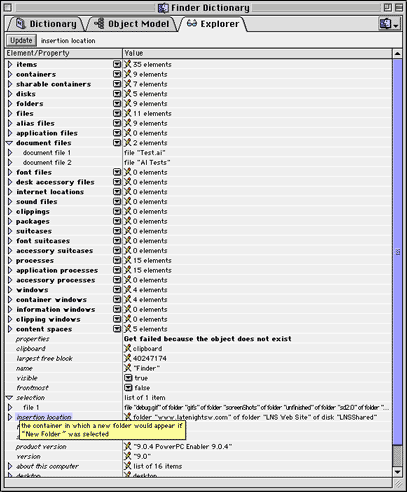
The big advancement in Script Debugger 2 was the object model explorer which let you see an application’s live scripting interface. This was huge at the time, and to this day, sets Script Debugger apart.
After Script Debugger 2 was released, Apple had its near death experience and our business simply stopped (literally went to zero) in the space of 3 weeks.
During the period that followed, we developed an Adobe Illustrator plugin that made Illustrator scriptable from the Mac with AppleScript and from Windows with Visual Basic. Adobe later purchased this code from us and this went on to form the genesis for the scriptability found in Illustrator, PhotoShop and Acrobat (InDesign had its own killer scripting implementation before we arrived on the scene). The product, named ScripZ, was demoed by Sal Soghoian at that year’s MacWorld Jobs led keynote. We were in meetings with Adobe to conclude the sale of the software right behind the black curtain beside the stage as the keynote was taking place - crazy.
Script Debugger 3
In 2002 we released Script Debugger 3.0. Script Debugger 3 had pretty much the same look and feel as 2.0. We went on to be the runner up for that years MacWorld Eddy for best development tool (I think CodeWarrior got it that year).
The big news for Script Debugger 3 was native Mac OS X support and the integration of our JavaScript scripting system into the product.
Script Debugger 4
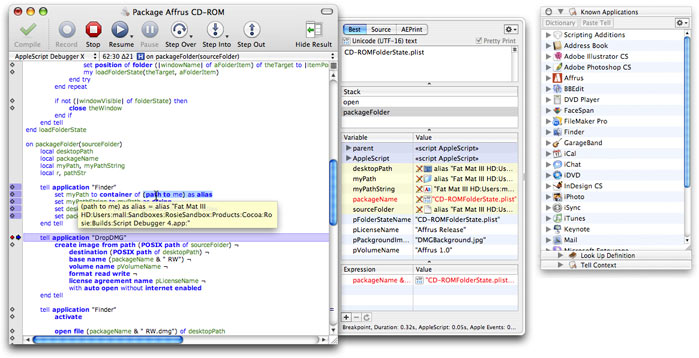
In 2006, Script Debugger 4.0 was released. Script Debugger 4 became a Cocoa/Objective-C/C++ application (previously it was a THINK Class Library/C++ application) and received a UI overhaul which adopted the Mac OS X look and feel, and introduced concurrent script execution where scripts open in different windows could be debugged at the same time.
Script Debugger 4.5
Then in 2009 we released Script Debugger 4.5. Like Script Debugger 3, this was an evolutionary released which built on Script Debugger 4.
Script Debugger 5
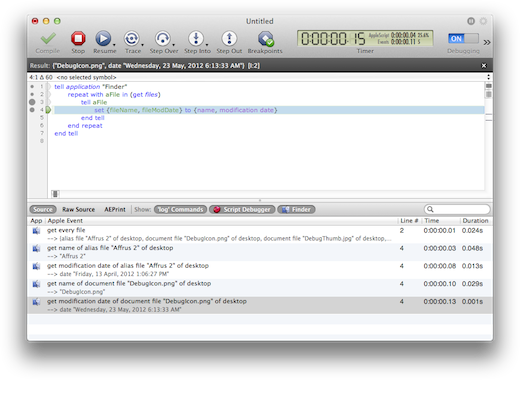
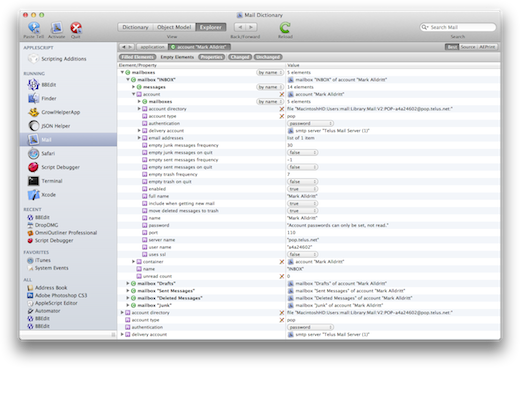
And finally, in 2012 we released Script Debugger 5.0. Yet another UI overhaul. JavaScript was dropped (irony). Tabbed windows were introduced. Yet another rewrite of many internal components to make the product more maintainable and drop legacy Mac OS stuff, much dating back to the Classic Mac OS days.
Along the way there were other products: ScripZ (the Adobe Illustrator scriptability plugin acquired by Adobe), TagOn (an Adobe InDesign plugin for importing QuarkXPress documents), Affrus (A Perl IDE/Debugger) and of course the ill-fated FaceSpan 5. Then there were the freeware items: XML Tools, XSLT Tools, Plist Tools, Record and List Tools, JavaScript OSA and others I cant remember. All in all there have been more than 40 Script Debugger releases (major and maintenance releases).
While I did all the development on Script Debugger, it was not me alone. Gerry was there throughout the ups and downs running the business, executing the marketing and sales plans. She and I worked together in the same office for most of these 20 years. Matt Neuburg has been there throughout producing all our documentation (amazingly taking over from our first tech writer and creating the SD1 manual in 3 weeks!) and serving as my sounding board for so many years. Other lesser known individuals include Frances Hunter (she produced the original Script Debugger 1.0 printed manual), Lorin Rivers doing marketing and Bryan Bell did all the icons starting with Script Debugger 3. Adrian Ruigrok developed much of FaceSpan 5 and went on to work for Apple on some of the cool iThingies we all love today. And of course the invaluable support of other developers like Rich Siegel, Jon Pugh, Stephan Somogyi and many many others.
And finally, there are all the relationships that developed with customers through all these years, many dating back to the initial release of Script Debugger 1 (Shane, Ray, Jon, Chuck).
Wow, 20 years of my life involved in developing Script Debugger. My daughter is 19 now and attending college.
I hope I have all these dates more or less correct.
P.S. Here are some interesting facts:
- The impetus for Script Debugger came from difficulty I experienced trying to automate Claris FileMaker and Claris MacProject Pro using Apple’s Script Editor. Oddly, these two Claris applications were very scriptable at that time.
- Script Debugger 1.0 was developed on a Mac SE/30 with 4MB RAM using Think C
- Script Debugger 1.0 easily fit on 1 800K floppy disk. Script Debugger 5 is a 14MB download.
- Script Debugger was ported from Think C/TCL/C++/Classic Mac OS Toolbox to Symantec C++, then to CodeWarrior, then to Carbon on Mac OS X, then to Cocoa/Objective-C using Project Builder and now Xcode. Along the way, the TCL (Think Class Library) had to be ported to Carbon. Parts of the TCL are still in use in Script Debugger 5 (CFile/CResFile/CDataFile).
- Script Debugger has out lived several of the products used to build it (THINK C, Symantec C++ and CodeWarrior). Only BBEdit continues to flourish.


-
Viewing Local Variables in Script Debugger
The issue of how to view local variables (variables declared within an AppleScript handler) in Script Debugger keeps coming up. This problem has been an issue ever since Script Debugger 2.0 when local variable display was introduced. This issue surfaced again recently on the AppleScript-Users mailing list:
Hello, how can I see the value of y in the variables pane of Script Debugger when I run this simple example script in debug mode:

set x to 3

beeping(x)

on beeping(x)
	--local y
	set y to 5
	beep x
	delay 2
	beep y
end beeping

Bert.
Script Debugger requires all local variables be explicitly declared before they are displayed in the variables browser. AppleScript allows you to explicitly declare locals in several ways:
- explicitly using the ‘local’ statement
- as the loop variable in a ‘repeat with’ statement
- as a parameter to a handler
- as a parameter to an ‘on error’ statement
The problem arrises when a variable is declared implicitly through an assignment within a handler. In this instance, Script Debugger’s parser is not able to detect the new variable (y), and thus fails to display it in the variables browser.
The solution is the uncomment the ‘local y’ statement.
You can find additional information in the Script Debugger Help Book by searching for ‘local’ from the Help menu.
The AppleScript runtime does not provide public debugging hooks. As a result, Script Debugger must resort to a series of hacks to implement step-wise debugging and variable display. One of the limitations of this approach to AppleScript debugging is that Script Debugger must detect the names of all local variables at compile-time. AppleScript’s support for multi-word identifiers in dictionaries makes parsing AppleScript source a very problematic thing to do, and makes detecting local variables without knowing AppleScript’s internal state impossible.
-
Finding OSA scripts with Spotlight
With the release of Script Debugger 4.0, I added a Spotlight searching capability for OSA scripts created with Script Debugger. Based on a series of customer support emails I realized that this is not a well documented aspect of the product. Here is a quick overview of how to use Script Debugger Spotlight support to find OSA scripts on your Macintosh.
NOTE: Spotlight indexing of OSA scripts only works for scripts that have beenn saved using Script Debugger. Scripts created with Apple’s Script Editor are not indexed.
Script Debugger provides indexing information for three aspects of your OSA scripts:
-
the source text of the script (kMDItemTextContent)
-
the script’s description (kMDItemDescription)
-
the script’s language name (kMDItemKeywords) which is normally “AppleScript”
Here some ways to find all the scripts on your Macintosh which target the Apple Mail application. First, we’ll search for documents containing “Mail” and with the AppleScript keyword:

This is good, but we get some documents that are not scripts. Instead, we’ll search for OSA scripts that contain “Mail”:

Perfect, all the OSA scripts on my machine that target the Apple Mail application.
-
-
Script Debugger 4.0.8
I’m pleased to announce the release of Script Debugger 4.0.8. This free maintenance release provides Leopard (Mac OS X 10.5) compatibility and addresses a series of issues that came to light following the release of Script Debugger 4.0. Please review the Release Notes for details of changes in this release.
-
Script Debugger 4.0.8b5
Here is a new beta build of Script Debugger 4.0.8. This build addresses all of the Leopard (Mac OS X 10.5) issues that I’m aware of. Please give it a try and let me know if there are any regressions. I intend to go final with this build on December 15th, so please get those bug reports to me ASAP.
You can download the Beta software here:
Universal build requires Mac OS X 10.4 or later (13.1MB)
If you are running 10.3 (Panther), you need to use this version instead (10.1MB)
Changes in 4.0.8b5:
13966 - Addressed a problem that prevented the customization of script window toolbars when running on Leopard.
13973 - Addressed a series of problems that caused NSLock and NSConditionLock related diagnostic messages to appear in the Console log on Leopard systems.
13972 - Revised the descriptions of AppleScript’s built-in data types appearing in Dictionary windows.
13978 - Addressed a problem that caused Script Debugger to fail when saving scripts as bundled applications on Leopard.
13731 - The Parent Script toolbar item’s popup menu now properly updates as other script documents are opened and closed.
13734 - The AppleScript Studio entry in the Applications inspector now shows the same icon as the AppleScript Studio entry in the Default Target submenu within the Script menu.
-
Script Debugger 4.0.8b4
I am preparing yet another Script Debugger 4 maintenance release. This release addresses some issues that have surfaced since the 4.0.7 release. This build extends the expiry date in the build to December 1, 2007 to give me some time to address a few more issues.
You can download the Beta software here:
Universal build requires Mac OS X 10.4 or later (13.1MB)
If you are running 10.3 (Panther), you need to use this version instead (10.1MB)
-
Script Debugger 4.0.8b3
I am preparing yet another Script Debugger 4 maintenance release. This release addresses some issues that have surfaced since the 4.0.7 release.
You can download the Beta software here:
Universal build requires Mac OS X 10.4 or later (13.1MB)
If you are running 10.3 (Panther), you need to use this version instead (10.1MB)
Changes in 4.0.8b3:
13740 - Addressed a problem with external debugging support where parameters passed to event handlers were not handled properly on Intel machines.
-
Script Debugger 4.0.8b2
I am preparing yet another Script Debugger 4 maintenance release. This release addresses some issues that have surfaced since the 4.0.7 release.
You can download the Beta software here:
Universal build requires Mac OS X 10.4 or later (13.1MB)
If you are running 10.3 (Panther), you need to use this version instead (10.1MB)
Changes in 4.0.8b2:
13761 - Addressed a problem where dragging text ahead of a compile/run-time eror to a position below the error would cause a Cocoa exception to be reported.
Changes in 4.0.8b1:
13723 - Corrected a regression introduced in Script Debugger 4.0.6 that caused the relevance ranking of dictionary search results to be incorrect.
-
Script Debugger 4.0.7 Released
-
Script Debugger 4.0.6 Released
-
Script Debugger 4.0.6b4
I am preparing yet another Script Debugger 4 maintenance release. This release addresses some annoying issues that have surfaced since the 4.0.5 release.
I decided to do one more round of beta testing because this build includes changes to the bundled compiled script and bundled script application saving code and I want to ensure that these changes are solid before releasing the product widely.
BETA NOTE: Keep backups of your bundled compiled scripts and bundled script applications when you begin using this build of Script Debugger just in case there is a problem and you need to recover.
You can download the software here:
Universal build requires Mac OS X 10.4 or later (13.1MB)
If you are running 10.3 (Panther), you need to use this version instead (10MB)
Changes in 4.0.6b4:
13586 - Addressed a problem where the variable name ‘errMsg’ is not displayed by the debugger in ‘on error’ handlers when the variable name ‘errNum’ is also used.
13587 - Script Debugger can now open text scripts incorrectly tagged as compiled scripts by the script file’s HFS file type.
13650 - The CFBundleName property list key no longer includes a random number when exporting run-only bundled applications.
13474 - Improved the on-line documentation for debugging Folder Actions handlers.
13472 - Improved the on-line documentation concerning the saving of event log settings with script documents.
13647, 13648 - Subversion .svn directories (and other custom directories located outside the Contents/Resources directory) are now properly preserved when saving bundled compiled scripts and bundled script applications.
13649 - The CFBundleIdnetifier and CFBundleShortVersionString property list keys are now preserved when saving bundled compiled scripts and bundled script applications.
-
Unix Newlines in Script Debugger
I recently had a customer struggling to embed multi-line Unix shell scripts within their AppleScript script using Script Debugger.
The problem is that Script Debugger’s default Newline character is CR (ASCII 13). This is a historical relic dating back to the Classic Mac OS days. When Apple introduced Script Editor 2, they changed the default newline from CR to LF. We chose to stay with CR to avoid breaking existing scripts.
This choice to remain with CR causes Script Debugger to operate differently from the Script Editor when editing multi-line string literals. This is particularly a problem when you are trying to embed multi-line Unix scripts (sh, perl, ruby, python, etc.) which expect LF newlines into an AppleScript script.
Fortunately, there is a solition. You can change Script Debugger’s default Newline character using the following terminal command (make sure you quit Script Debugger before issuing it):
defaults write com.latenightsw.ScriptDebugger PrefEditorNewLineIsCR -bool noOnce this command has been issued, Script Debugger will insert LF characters whenever you press return. When the newline character matters to you, I recommend also using the Show Invisibles command (View menu) to make Script Debugger show you the newline characters
One final note: AppleScript converts LF newlines to CR in text outside string literals and block commands when scripts are compiled or opened. Here again, Script Debugger’s Show Invisibles feature will make it clear which newline character is being used where.
-
Script Debugger 4.0.6b3
I am preparing yet another Script Debugger 4 maintenance release. This release addresses some annoying issues that have surfaced since the 4.0.5 release. In particular, this release addresses a series of crashing bugs that have been frustratingly difficult to trace.
You can download the software here:
Universal build requires Mac OS X 10.4 or later (13.1MB)
If you are running 10.3 (Panther), you need to use this version instead (10MB)
Changes in 4.0.6b3:
13470 - modified Script Debugger’s software registration logic to allow for installations in labs where multiple machines share a common startup (server) disk.
13485 - solved an extremely intermittent bug that caused Script Debugger to crash following a Check Syntax operation.
13513 - backported FaceSpan 5 code that supports the <class-extension> and <contents> sdef elements. This makes dictionary presentation more faithful to the application developer’s intentions.
13514 - Script Debugger no longer miss-recognizes properties in the Multi-Ad Creator application object as synonyms.
-
Avoiding Word & Excel AppleEvent Crashes
Microsoft Word and Excel can crash frequently when the Script Debugger Explorer is used. These crashes can also be caused by AppleScript. Here are some tips for avoiding many of these crashing bugs.
- Turn off Script Debugger’s ‘Scan for elements of count fails’ Dictionary preferences option
Doing this will make it much less likely that Script Debugger’s Explorer will generate AppleEvents that cause Word or Excel to crash.
- Avoid using the Exists commands in your scripts
I have found that asking Word or Excel if a non-existent object exists will very often cause a crash. For example, if you open a new document and run the following script, Word will crash:
tell application "Microsoft Word"
	exists shape 1 of selection
end
The workaround is to use count:
tell application "Micorosft Word" try return count shapes of selection >= 1 on error return false end end -
Script Debugger 4.0.6b2
I am preparing yet another Script Debugger 4 maintenance release. This build addresses some annoying issues that have surfaced since the 4.0.5 release. In particular, this build finally addresses a series of crashing bugs that have been frustratingly difficult to trace.
You can download the software here:
Universal build requires Mac OS X 10.4 or later (13.1MB)
If you are running 10.3 (Panther), you need to use this version instead (10MB)
Changes in 4.0.6b2:
13465 - Finally solved an extremely intermittent bug that caused Script Debugger to crash reporting run-time errors or following a Check Syntax operation.
13343, 13464 - Addressed Cocoa exceptions arising from bugs in Script Debugger’s Table of Contents parser.
13462 - Addressed a problem where JavaScript OSA property names were not displayed properly in the Variables browser.
13461 - Addressed a problem that prevented the execution of JavaScript OSA code that uses ‘const’ variable declarations.
Changes in 4.0.6b1:
13457 - Script Debugger can once again open dictionary of Resource file based applications such as Microsoft Excel, Microsoft Word.
13425, 13449 - Addressed Cocoa exceptions arising from bugs in Script Debugger’s Table of Contents parser.
13453 - Script Debugger now preserves user created Info.plist files stored within the script bundles.
13450 - Addressed a crashing bug that arose when opening scripts with variables containing object specifiers referring to objects within to applications that cannot be found on disk.
-
The Year Ahead - 2007
2006 was a busy year. I completed the re-write of Script Debugger 4 in Cocoa, ported it from CodeWarrior to Xcode, and transitioned to Intel Macs. Along the way, there have been 5 maintenance Script Debugger 4 releases. I had hoped to also release FaceSpan 5 in 2006, but that did not work out.
As we begin another year I think its time to layout my plan for the coming year.
Script Debugger 4.0
In 2007 I’ll continue releasing maintenance updates for Script Debugger 4. I have Script Debugger 4.0.6 waiting in the wings which will ship in the next month or so, and when Leopard (Mac OS X 10.5) ships I’m sure I’ll have to tweak the software some more.
FaceSpan 5.0
As some of you may recall, last year I acquired FaceSpan (an AppleScript-based User Interface builder) from Digital Technologies International. I went on to release FaceSpan 4.3 which addressed the most pressing bugs in the product.
In the time since the release of FaceSpan 4.3 I have been working on FaceSpan 5. There have been some setbacks along the way and its taking more time than I planned. However, FaceSpan 5 is progressing and I think the results are going to be worth all the effort.
FaceSpan 5, Script Debugger 5 and Affrus 2 all share the same script editing code. This means that editor improvements in one product (e.g. Regular Expression search and replace) are now quickly shared with the others. Also, FaceSpan 5 and Script Debugger 5 share the same dictionary viewing and AppleScript debugger code. I believe that this will make all the products progress much more quickly in the future. Since I work largely alone, this kind of code sharing is critical to making it possible to maintain so much software.
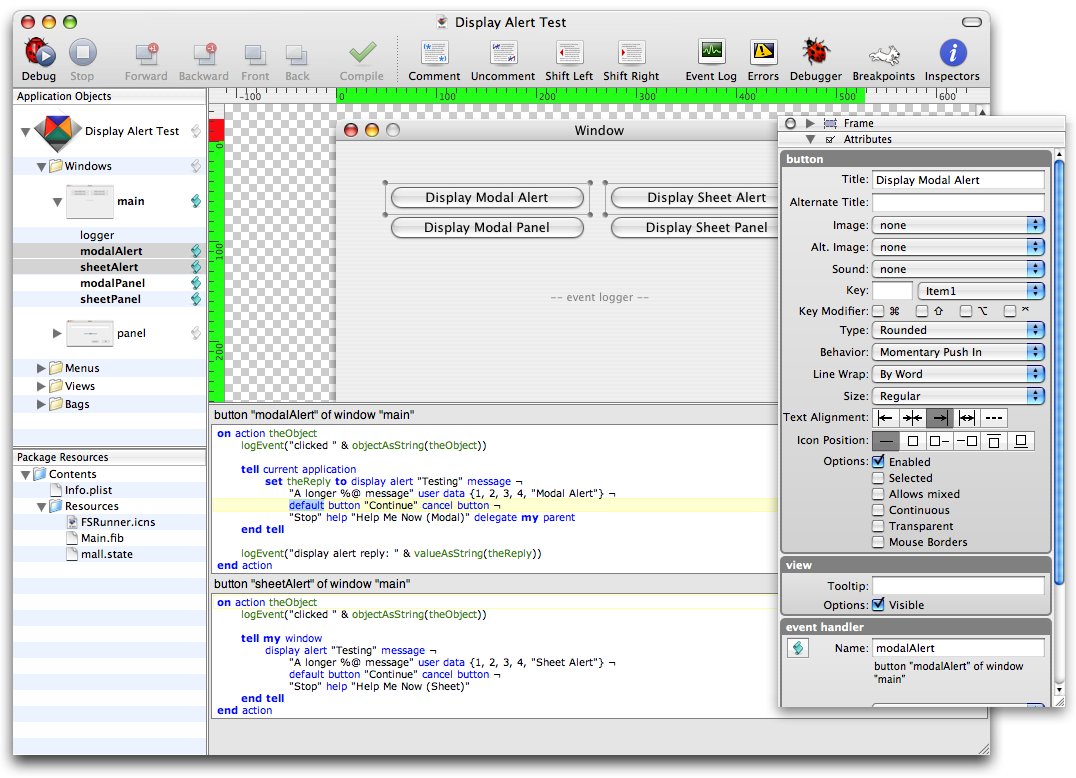
Here’s a teaser showing the new FaceSpan 5.0 project window and some of its inspectors:

The script editing areas you see have all of Script Debugger 4’s editing capabilities (snippets, paste tell, etc.), and when you run a project, you have all of Script Debugger’s debugging capabilities integrated directly into the FaceSpan IDE.
Affrus 2.0
Affrus 2.0 is a re-write of Affrus 1.0 (a Perl editor and Debugger) using Apple’s Cocoa Frameworks. This is similar to the work I undertook to re-write Script Debugger as a Cocoa application.

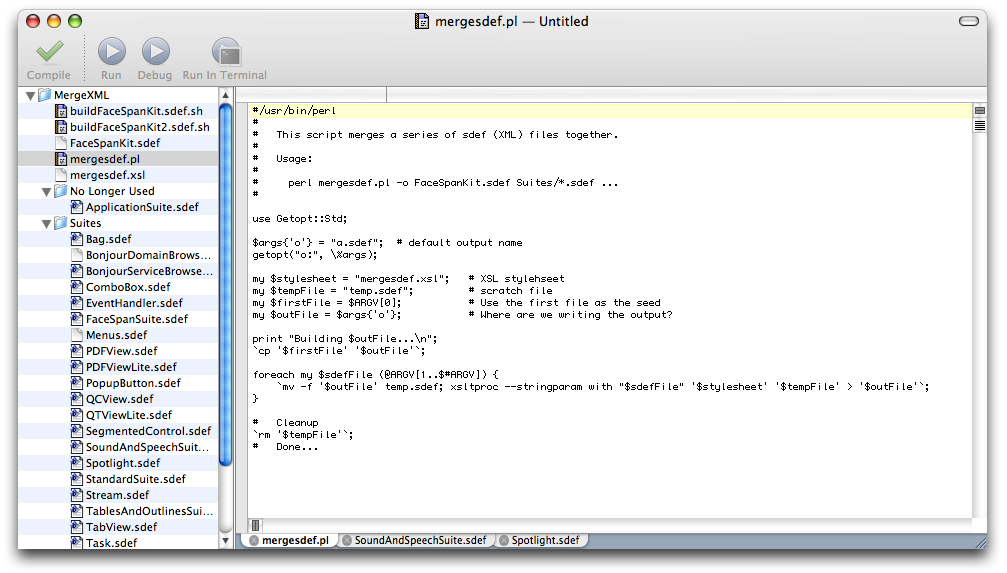
Here’s a little teaser. This screen shot shows just two Affrus 2 features: projects and tabbed editing. Other key features for Affrus 2 are Ruby and Python debugging.
Script Debugger 4.5
Once FaceSpan 5.0 and Affrus 2.0 have shipped (and all the code has been debugged), I will release Script Debugger 4.5. This update for Script Debugger 4.0 owners will deliver on my promise to provide scripting support and split-pane editing.
Script Debugger 5.0 will have to wait for 2008, but I have big plans. Oh, and JavaScript OSA will get some TLC along the way as well.
So thats the plan for 2007. It should be a great year with lots of new toys for everyone to play with.
-
Script Debugger 4.0.6b1
I am preparing yet another Script Debugger 4 maintenance release. This build addresses some annoying issues that have surfaced since the 4.0.5 release. You can download the software here:
Universal build requires Mac OS X 10.4 or later (13.1MB)
If you are running 10.3 (Panther), you need to use this version instead (10MB)
Changes in this build:
ID Build Title 13457 4.0.6b1c2 [sd-talk] Microsoft Excel 13425 4.0.6b1c2 Stuck in "Compiling Script with no way out. 13453 4.0.6b1c2 Script Debugger remove Info.plit in the script bundle 13450 4.0.6b1c2 Crash opening script with object specifiers referring to missing application 13449 4.0.6b1c1 Crash report </table>subscribe via RSS