-
iPad Frustrations I
Over the weekend I played in a tennis tournament and used a GoPro to record the final match. I decided to edit the footage on my 12" iPad Pro.
Importing the footage from the GoPro was trivial using Apple’s Lightning SD Card Reader. iMovie on the iPad worked very well.
Problems started when it came time to share the finished movie with the other players. The result was over an hour and a half long, and weighed in at over 10GB when saved out as a 1080p movie. This is too large for my DropBox account and my iCloud account. What to do?
First idea: save it back to an SD card. Turns out you cannot do this.
Next idea: try and Air Drop the file to my Mac. Seemed to work but the resulting file was only a few hundred MB and would not open - sigh.
Next idea: save it to a USB memory stick. Can’t do this either even though I do have a lightning USB adapter.
In the end, I had to FTP the file (using Panic’s Transmit) from the iPad to my Mac. From there I could copy the file to a USB memory stick. Side note: When sharing a massive file like this, the iPad should not go to sleep in the middle and abort the share operation - it sucked having to baby sit the thing to keep it from going to sleep.
There is so much about the iPad that I really like. I take it with me almost everywhere. I pretty much live in Linea, OmniOutliner, Tweetbot, Slack, Mail and Safari. But when I try and do seemingly simple things with it I run aground, over and over again. iOS 11 is a huge improvement but it does not address this kind of issue.
-
Find My Apple Pencil, Part II
As a follow up to my We Need a Find My Apple Pencil Feature post, I’ve been experimenting with the Bluetooth Scanner apps in the app store.
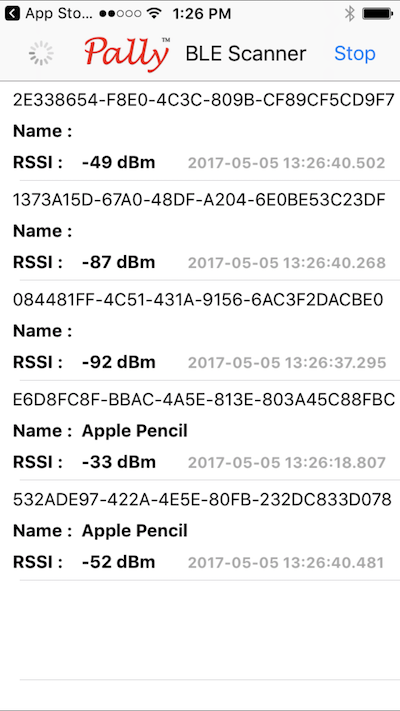
I picked one of the free ones and found out an interesting thing.
Presumably to save energy, the Apple Pencil does not broadcast its existence unless it is physically moved. You have to touch or jostle it in order for it to be revealed by these scanner apps:
-
PEER
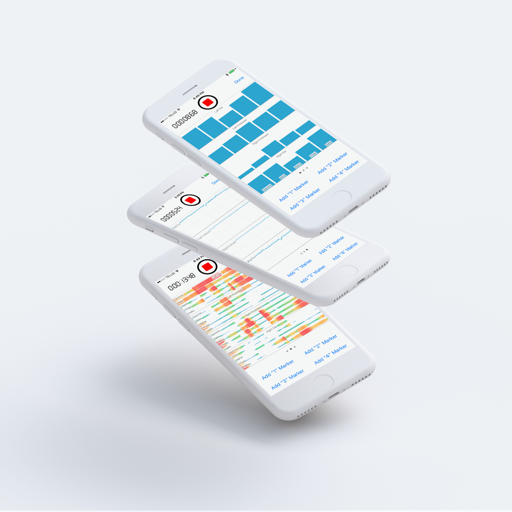
My new project has finally begun Beta testing. Its an iPhone/iPad app for neuroscientists doing research. The app uses a MUSE EEG headset to record brainwave data while the user plays simple games that create controlled stimuli. We are starting with a game called Oddball and have plans to implement a series of standard tests used in neuroscience research. Armed with this tool, and in collaboration with U.Vic., we hope to be able to collect normative data about a range of brain related conditions in the population.
-
We Need a Find My Apple Pencil Feature
Hearing about the Find My AirPods feature Apple is introducing reminds me that we need the same thing for the Apple Pencil. I recently lost one and having some way of seeing if it was nearby would have been very helpful. Replacing the Apple Pencil was expensive and I find I’m constantly anxious that I’ll loose the thing when I’m away from my office with my iPad Pro.
-
Simple iPhone App Mockups
I’ve been looking for nice ways to present iPhone application mockups and today I came across these free attractive mockups on the UI8 site:
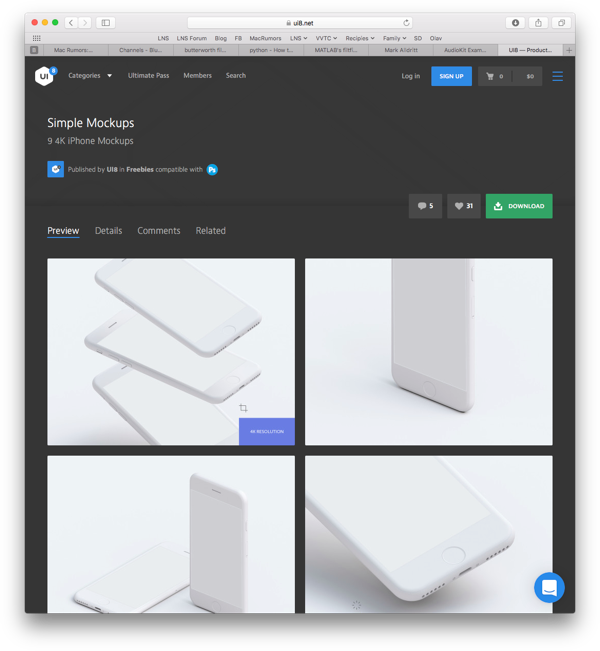
There are light (pictured) and dark versions available.
As you can see, there are several types of muckup offered ranging from 3 screens to 1 in various orientations.
##Example
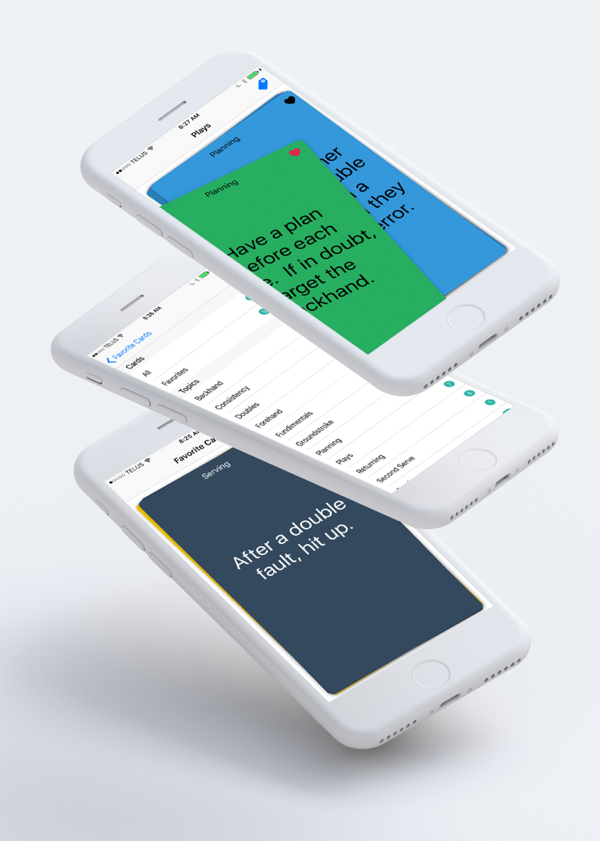
Using the UI8 light mockup, I was able to create this image for my Tennis Cards application:
##How To
Here’s a short video demonstration of how my example image was created:
[embed]www.youtube.com/watch
-
Animated Record Button with PaintCode
Here is an example of how to use PaintCode to create an animated button.
The code for this project is available on GitHub.
##Background
I wanted to create a record/stop button for a project I’m working on that mirrored the appearance of the record/stop button found in Apple’s iOS Camera Video recorder and Voice Recorder applications.
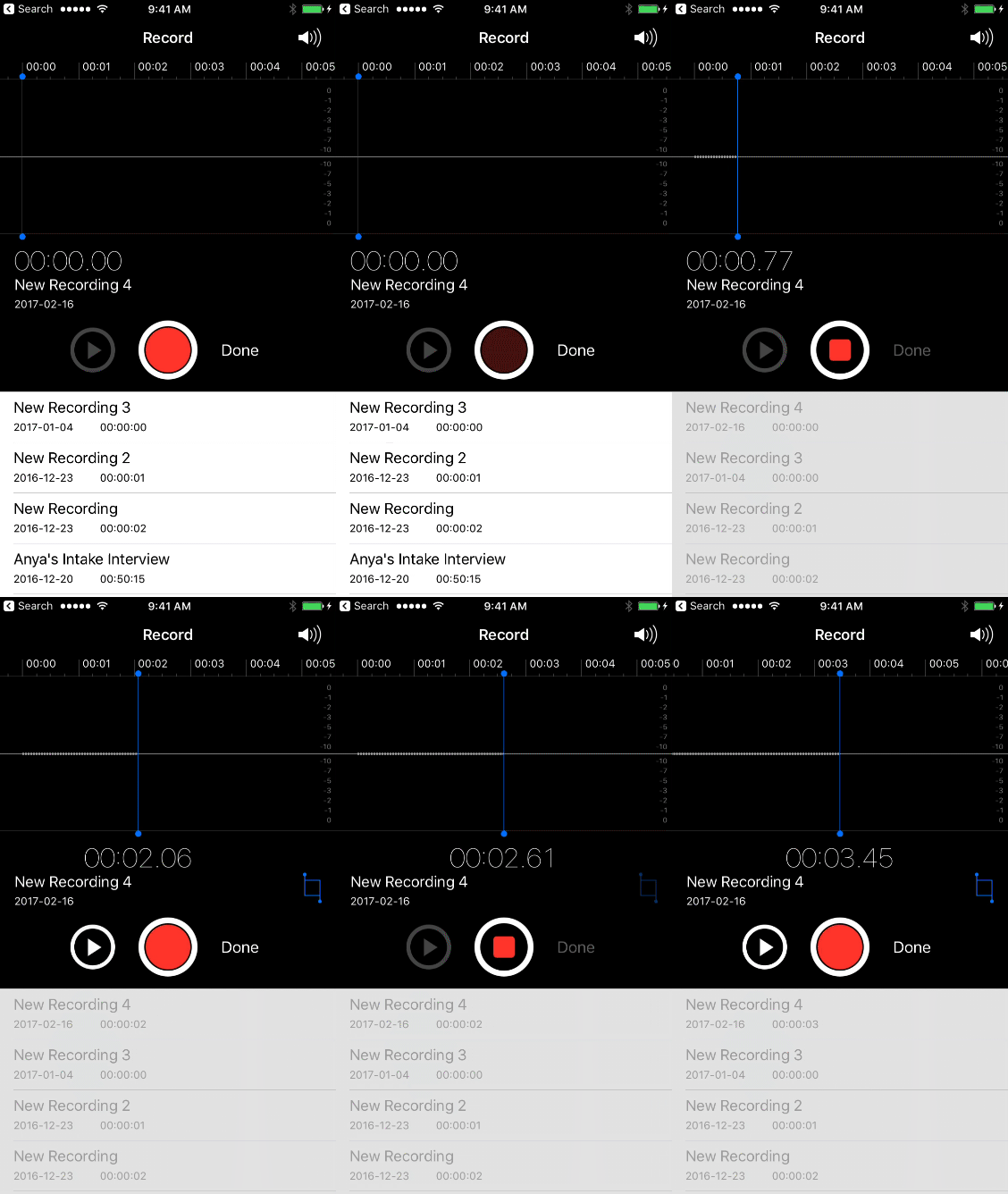
##PaintCode Design
PaintCode makes creating simple designs like this very simple.
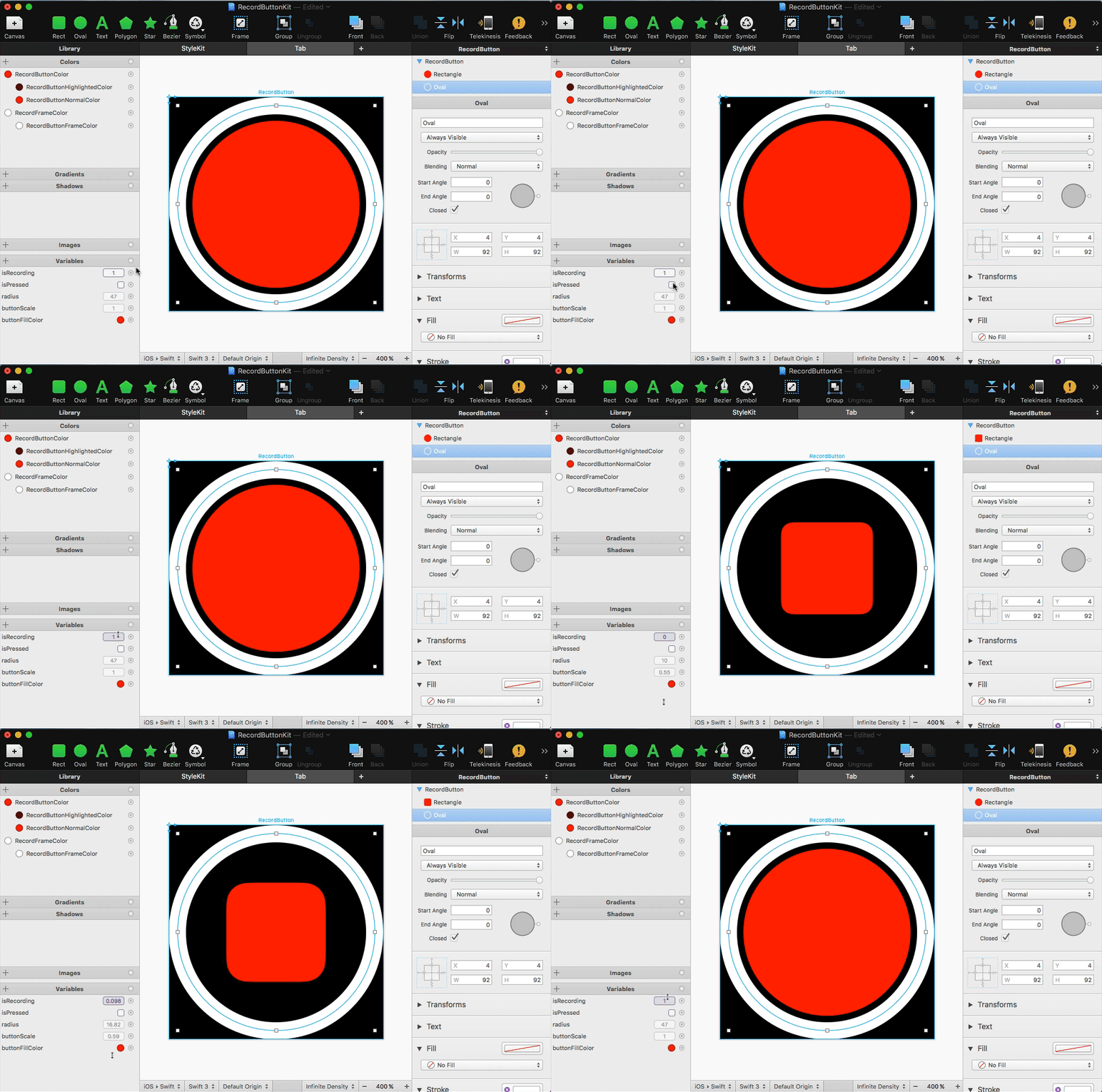
I have a square canvas in which there are two concentric circles. The outer circle is the button’s frame (white), and the inner circle is the tappable button (red).
Using PaintCode’s expressions I have two parameters:
- isPressed, a boolean, controls the color used to draw the inner circle
- isRecording, a fraction (0.0->1.0) controls the transition of the inner circle from a circle to a smaller rounded square
##The Code
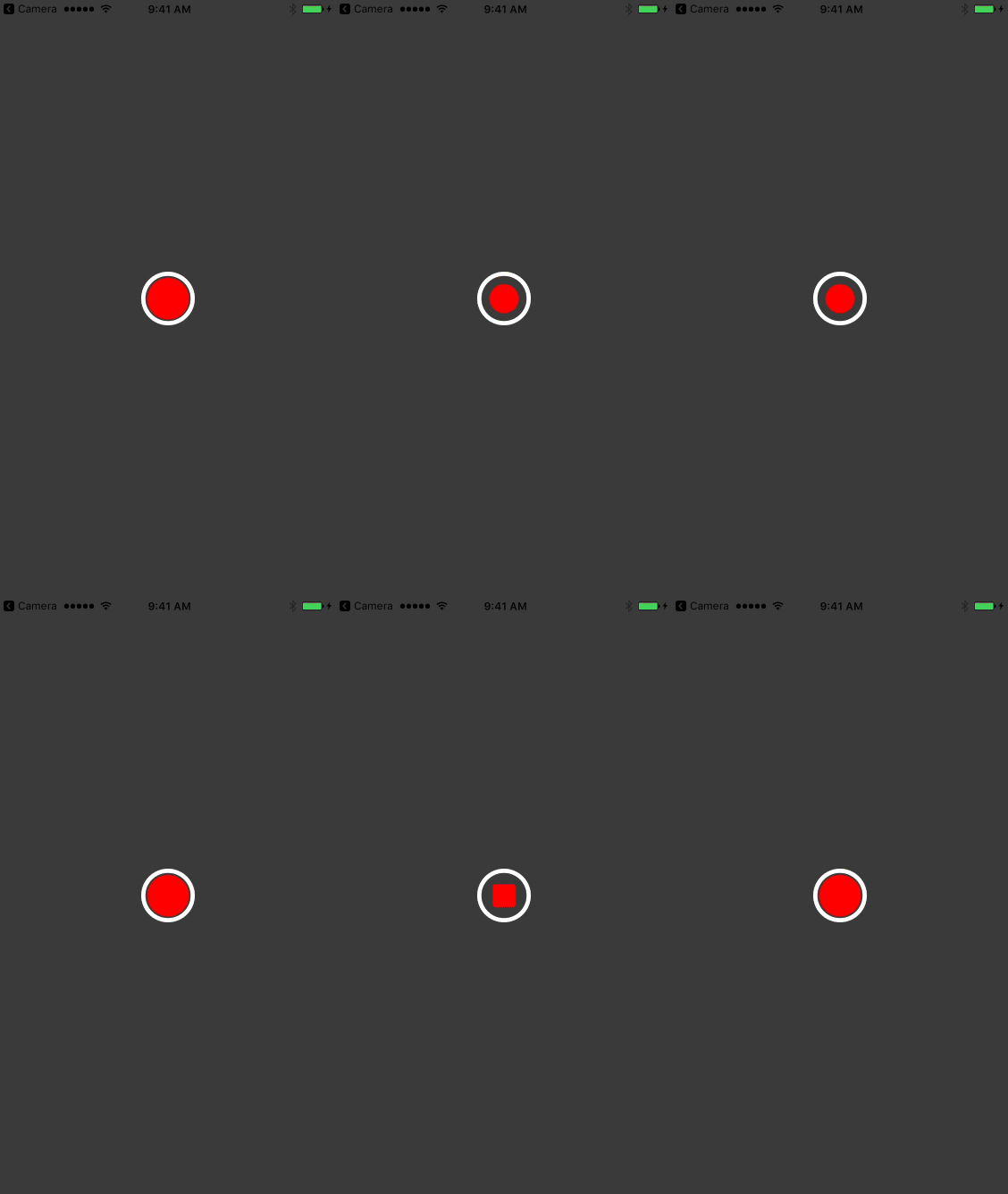
When the button is tapped, isPressed is set to true until the tap ends. When the tap ends, the value of isRecording is animated from 0.0 -> 1.0 or 1.0 to 0.0 depending on the state of the button. That’s it.
Here is the result:
-
iPad Pro & Apple Pencil for the non-artist
I have to say that I’m really liking the iPad Pro. Apart from times when I have to code and when I need Lightroom (Lightroom on the iPad is useless for the work I want to do), it is the machine I take with me in my backpack.
I like to make rough sketches of software UI ideas as I work. I’ve tried several styli over the years and never been totally happy. I have been using a 53 Pencil which I liked quite a lot, but then I got an Apple Pencil. Its clearly nicer and the closest yet to drawing in my paper journal. I’m no artist at all, but these tools let me quickly capture what I’m imagining as I work. As I get older, I find that getting ideas out of my head and capturing them in some form becomes more and more critical to my work process.
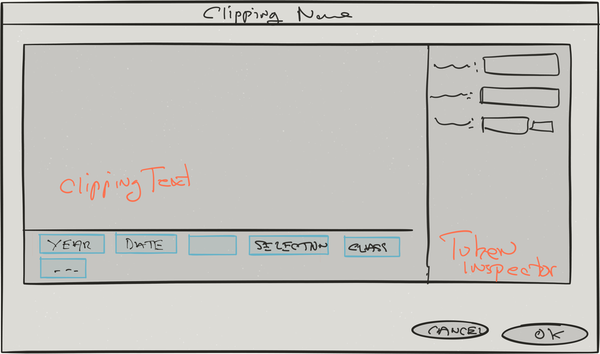
Drawing with the Apple Pencil is faster and more responsive, and while its not in evidence in this example, pressure sensitivity helps. However, I do miss the eraser on the 53 Pencil a lot.
I used to make these sketches in my paper journal (which I still carry with me) but being able to make a quick sketch like this and attach it to an item in my bug database is better.
Tools used:
-
The iOS On-Screen Keyboard Is A Problem
I’ve been working on iOS versions of some of my development tools, and I have been struggling to figure out why touch UIs are so poor for this kind of application.
A huge problem is that the bottom half of the screen is a dead zone due to the appearance of the on-screen keyboard. Anything displayed where the on-screen keyboard will appear has to be sacrificial and not critical to the task at hand. For instance, in the case of tools that edit text this means you have to be able to view the text around the insertion point and any important context in roughly half the screen. For programming tools where context is very important this is a big problem. This problem is at its worst when the device is in landscape mode.
As a user, you are forced to keep scrolling around in anticipation of the appearance of the on-screen keyboard so you don’t loose the passage text that interests you.
On the iPad Pro this is a little less of an issue as you have more screen space to work with, especially in portrait mode, but its still a challenge. Obviously, a hardware keyboard is one way to solve this problem, but you cannot count on the user having one at hand all the time.
-
RegEx Knife 1.0.5 Released
RegEx Knife version 1.0.5 is available in the App Store. This version fixes a crashing bug that occurs when working with Regular Expressions containing 10 or more capture groups.
RegEx Knife has had 622 downloads so far (~60/month) - still hardly a rush. Clearly the iPad isn’t the best place to be doing RegEx development, but its handy when you need it.
-
RegEx Knife 1.0.4 Released
RegEx Knife version 1.0.4 is available in the App Store. This version fixes bugs that escaped my notice when developing RegEx Knife 1.0.3. Lets hope I’ve finally sorted everything out.
RegEx Knife has had almost 450 downloads so far - hardly a rush. Clearly, the iPad isn’t the place where one would think of trying to develop Regular Expressions. However, I’ve begun to get a few emails requesting features and reporting bugs which is encouraging.
-
RegEx Knife 1.0.3 Released
RegEx Knife version 1.0.3 is available in the App Store. This version fixes a series of bugs (one quite serious) that escaped my notice when developing RegEx Knife 1.0.2.
See RegEx Knife in the App Store.
It is emberassing to have these kinds of middle-of-the-road bugs remain in a product. This experience has reminded me why I need to recruit more testers for my iOS work, as I have always done for my Mac OS work. Going forward, RegEx Knife will have higher quality.
-
RegEx Knife 1.0.2 Released
RegEx Knife version 1.0.2 is available in the App Store. This version fixes some more iOS 8 compatibility issues and addresses a few bugs that escaped my notice in the 1.0.1 release.
See RegEx Knife in the App Store.
UPDATE: RegEx Knife 1.0.3 Released.
-
RegEx Knife 1.0.1 Released
RegEx Knife version 1.0.1 is available in the App Store. This version fixes some iOS 8 compatibility issues and addresses a few bugs that came to light following the 1.0 release.
UPDATE: RegEx Knife 1.0.2 Released.
-
RegEx Knife 1.0 Released
My first iPad app has hit the App Store!
If you know what a Regular Expression is, then head on over and take a look - its free. Thanks to Bryan Bell for contributing the lovely icon.
RegEx Knife builds upon the Regular Expression tester found in betas of my Affrus 2 product to offer a unique way of visualizing Regular Expression capture groups.
As a 1.0 release it is pretty minimal. There are several things I want to improve as time goes on.
UPDATE: RegEx Knife 1.0.1 Released.
-
Robotron 2084
For personal reasons, I have not been particularly productive over the last couple of years. This has been deeply frustrating to me, and at the suggestion of my friend Matt Neuburg I have started a series of fun development projects. The idea being to build things that I never plan to sell. Along the way, break the “writers block” I have been experiencing and learn some new stuff.
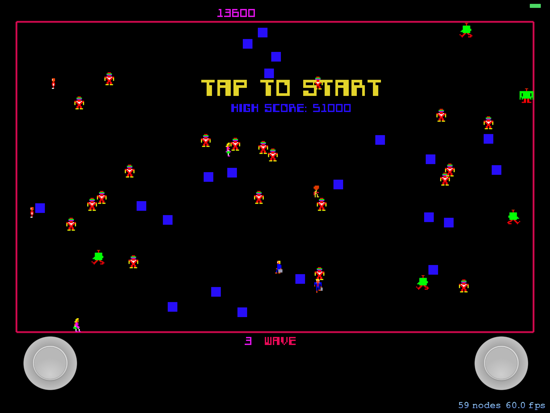
One of these projects has been an implementation of the classic Robotron 2084 video game from the 1980s for the iPad. I spent a lot of time as a youth playing this game, along with another Williams classic: Stargate, in local arcades. We became so good that we could play for hours on a single quarter, despite the game being incredibly hard.
Game Controllers
One of the key elements of Robotron was its use of two joysticks. One joystick controlled movement while the other controlled firing. I needed an analog to this for the iPad. I wanted to get as close as I could to that experience with my version of the game. After a lot of hunting, I finally found JSController project through the wonderful Cocoa Controls web site.
Initially I had no intention of creating a Mac version of the game, but when SpriteKit appeared in iOS 7 and Mac OS X Mavericks I had the opportunity to create Mac and iPad versions of the game. For this to work, I needed to get physical joysticks. I had an old LogiTech “Dual Action” USB game controller, so I set about trying to get that working. Mavericks introduced GameController.framework, but sadly that framework does not work with legacy USB controllers so I ended up turning to Dave Dribin’s DDHidLib.
SpriteKit
When I began this project, we had iOS 6. I was hunting for a simple 2D graphics framework on which to build my game. Cocos2D for iPhone seemed like the most mature of the free offerings, but somehow its complexity kept me at bay. I did a few experiments with it, but in the end it didn’t take hold.
Time passed and with the release of iOS 7, Apple introduced SpriteKit. It took me a while to notice SpriteKit, but I finally began working with it, and was successful in bringing up a few quick proof-of-concept tests. SpriteKit had the advantage of supporting both iOS and Mac OS X (much as Cocos2D does), so the idea of creating a Mac version of my game began to work in my brain.
Its been many years since I’ve written a game, so I won’t pretend that I can judge game frameworks in any meaningful way. However, I must say that SpriteKit was perfect for what I was trying to do. Getting 2D sprites onto the screen, moving them around, and playing sounds is trivial. I was on my way.
Reconstructing an Old Game
It turns out that a lot of people have spent a lot of time trying to reconstruct the Robotron game logic. They have gone so far as decompiling the original ROM code hoping to figure out exactly why the various enemies move the way they do.
For my attempt, I downloaded a couple of videos of people playing the game from YouTube, and set about reconstructing the logic as best I could. This is tough because there is a lot going on in Robotron that appears to be fairly random, but there are patterns if you watch long enough. However, with the videos and my memories of playing the game, I was able to recreate the game logic for several of the enemies.
The web also provided a lot of resources for reconstructing the sprite images used in the game. I’m sure I’m breaking copyright rules by using this imagery, but since its a personal project I decided to go ahead anyway. For game sounds, I extracted audio from the YouTube videos I downloaded using iMovie and Audacity.
Conclusion
While the project is still very much a work in progress, it is playable through to level 5 and incredibly hard. Its fun, and I’ve learned a lot along the way. It has been nice to be able to create new code with relative ease after such a long time of feeling blocked.
Along the way, Ive discovered some non-obvious things about SpriteKit which I hope to write about in future blog posts.
I have to thank Matt again for encouraging me to move forward with projects like this. It has been a real help to me as I persevere with a difficult period in my life.
Download
If you want to give the game a go and you are handy with Xcode, you can download the source code for the game from GitHub:

-
TextKit - Line Numbers
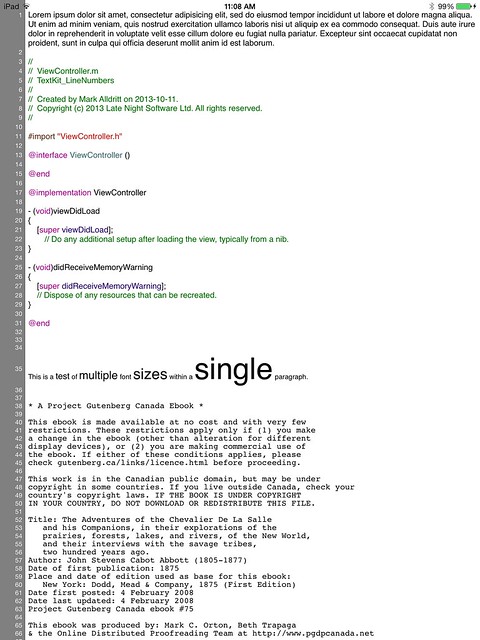
This sample code demonstrates one way of displaying line numbers in an iOS7 UITextView. This sample makes use of iOS7’s Text Kit classes and can accomodate texts with varying fonts from one paragraph to another.
-
RegEx Knife
I just realized that it has been almost a year since I have posted anything here. After such a long silence, I’m ready to show off some of my recent work. This is my first non-trivial iPad application, and I’m quite excited by what I have been able to achieve using Text Kit in iOS7.
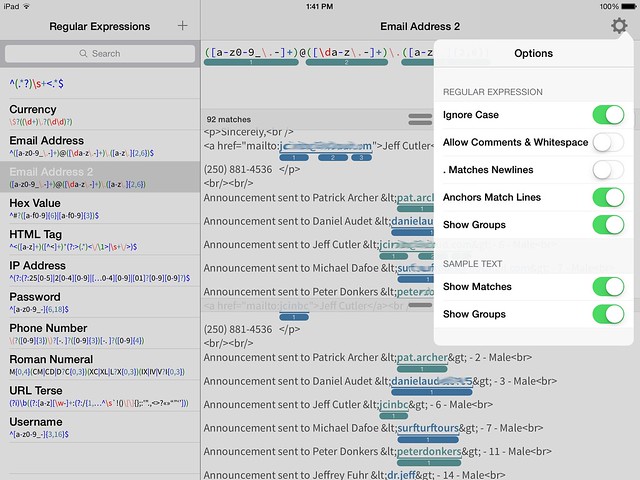
RegEx Knife is a port of the Regular Expressions Tester functionality from Affrus 2 to the iPad. This tool allows you to enter regular expressions into a syntax highlighted editor, enter sample text against which the regular expression is matched, and finally, enter a substitution template which is used to transform the sample text.
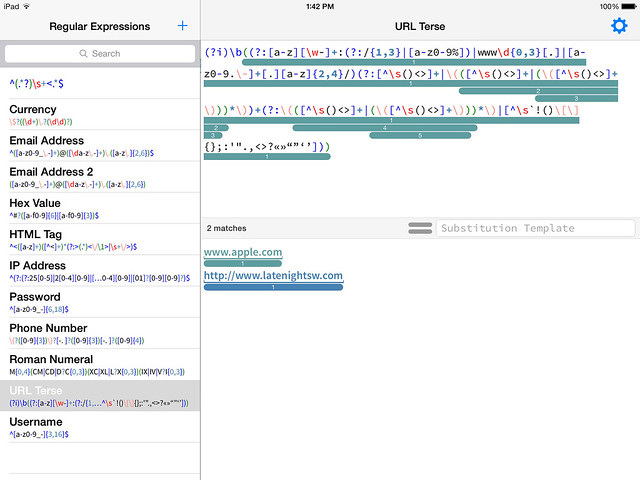
Rounded bars highlight capture groups in the regular expression and the actual text captured in the sample text.
When a substitution string is entered into the Substitution Template field, the sample text area at the bottom of the screen splits into two panes where you can simultaneously see the sample text and the text transformed by the substitution.
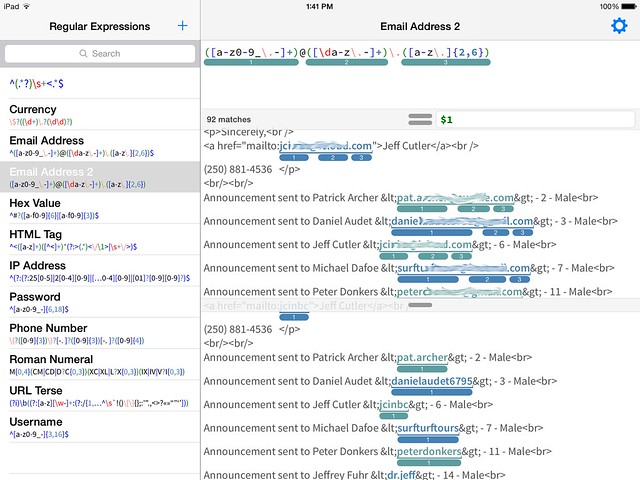
Notice that the capture groups are highlighted in both the sample text and also the transformed text where they indicating which group provided the resulting text.
Here are the options you can alter which control how regular expressions are interpreted and how matches and groups are displayed.
-
My First iPhone App
Now that Script Debugger 5 has been released, and most of the fires have been put out, I am turning my attention to new projects. As part of this I have been doing a lot of reading and experimenting with Android and iOS development. I realize I’m late to the party with iOS/Android development, but Mac OS work has kept my busy.
I finally decided to get my feet out of the mud and build something useful. I chose as my first significant iPhone app a client for the Victoria Virtual Tennis Club. This is a PHP/MySQL based web site which I developed to help this organization host Tennis matches in the Victoria B.C. area.
Like most desktop developers moving to mobile, I’m struggling to keep things simple on iOS and adopt the UI idioms users have come to expect and understand. I’m sure I’ll find ways to simply this app after I’ve had time to play with it.
This is a standard master-detail app which lists a calendar of upcoming VVTC events:
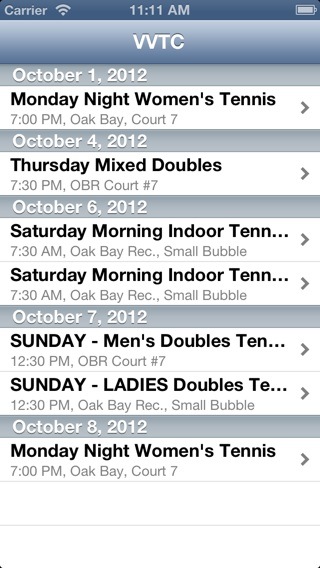
Taping on an event in the master screen takes you to a detail screen where you can see event details, a list of participants and then sign up for the event if you want to.
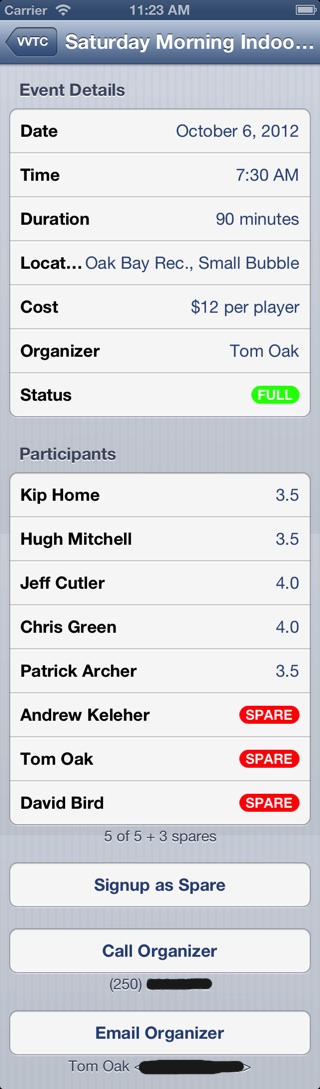
Behind the scenes, this involved adding a simple REST service to the VVTC web site to get the current calendar information, and to request signup. This data is returned as a JSON structure.
I decided to avoid the various iOS REST frameworks I found, and simply roll my own since I only have two URLs (get calendar, request signup). This decision may haunt me in the future, but for now things are working and I can understand what’s going on. The new NSJSONSerialization class worked flawlessly with the data returned by PHP’s json_encode function. Dealing with dates was a bit of an issue, but I finally settled on the ISO 6801 date format and that problem was solved.
Going forward, I want to add a Month view that mimics Apple’s Calendar application using the Kal project as an alternative to the list view I currently have.
I want to give full credit to the following resources that made this whole exercise possible within the 2 days I gave myself:
-
Matt Neuburg’s new “Programming iOS 5” book. This book explained lots of things for me, but most importantly it allowed me to adopt ARC along with a lot of Objective-C 2 features in my iPhone app. After many years of doing manual memory management in Script Debugger, it took a lot to let go of the rains and trust this to the compiler. This exercise has kind of spoiled me for dealing with my old code.
I read the first edition of Matt’s book cover-to-cover a few years ago and that gave me my basic understanding of the iOS SDK. A lot has changed over the years, and the new version of the book was great at reacquainting me with the iOS SDK.
-
Erica Sadun’s “The iOS Developer’s Cookbook”. Lifting pieces of Erica’s code out of her examples saved me a bunch of time.
-
The QuickDialog project. I used this to build all the detail views in my app and it saved me a mountain of time.
-
There are many web sites offing directories of reusable iOS (and Mac OS) UI components, but I recently found Cocoa Controls. This site led me to stumble upon QuickDialog and a number of other useful things.
UPDATE: I am missing Cocoa Bindings under iOS. I know that iOS provides Key Value Observing, but Bindings are missing. How are others dealing with this omission?
-
subscribe via RSS