-
iPad Frustrations I
Over the weekend I played in a tennis tournament and used a GoPro to record the final match. I decided to edit the footage on my 12" iPad Pro.
Importing the footage from the GoPro was trivial using Apple’s Lightning SD Card Reader. iMovie on the iPad worked very well.
Problems started when it came time to share the finished movie with the other players. The result was over an hour and a half long, and weighed in at over 10GB when saved out as a 1080p movie. This is too large for my DropBox account and my iCloud account. What to do?
First idea: save it back to an SD card. Turns out you cannot do this.
Next idea: try and Air Drop the file to my Mac. Seemed to work but the resulting file was only a few hundred MB and would not open - sigh.
Next idea: save it to a USB memory stick. Can’t do this either even though I do have a lightning USB adapter.
In the end, I had to FTP the file (using Panic’s Transmit) from the iPad to my Mac. From there I could copy the file to a USB memory stick. Side note: When sharing a massive file like this, the iPad should not go to sleep in the middle and abort the share operation - it sucked having to baby sit the thing to keep it from going to sleep.
There is so much about the iPad that I really like. I take it with me almost everywhere. I pretty much live in Linea, OmniOutliner, Tweetbot, Slack, Mail and Safari. But when I try and do seemingly simple things with it I run aground, over and over again. iOS 11 is a huge improvement but it does not address this kind of issue.
-
Find My Apple Pencil, Part II
As a follow up to my We Need a Find My Apple Pencil Feature post, I’ve been experimenting with the Bluetooth Scanner apps in the app store.
I picked one of the free ones and found out an interesting thing.
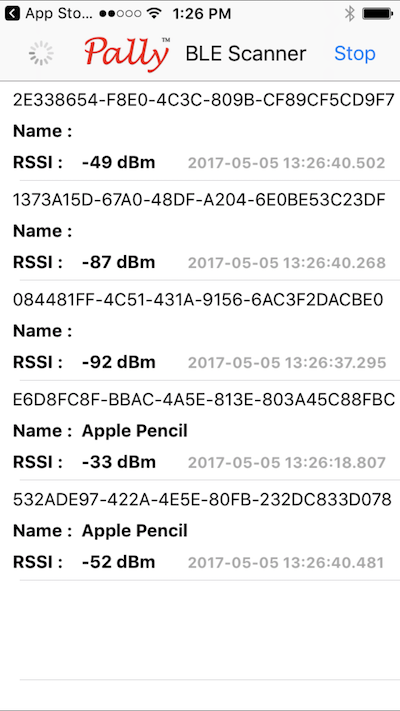
Presumably to save energy, the Apple Pencil does not broadcast its existence unless it is physically moved. You have to touch or jostle it in order for it to be revealed by these scanner apps:
-
PEER
My new project has finally begun Beta testing. Its an iPhone/iPad app for neuroscientists doing research. The app uses a MUSE EEG headset to record brainwave data while the user plays simple games that create controlled stimuli. We are starting with a game called Oddball and have plans to implement a series of standard tests used in neuroscience research. Armed with this tool, and in collaboration with U.Vic., we hope to be able to collect normative data about a range of brain related conditions in the population.

-
RegEx Knife 2 Available in the App Store
I have updated my RegEx Knife iOS regular expression editing and testing utility so that it works on both the iPhone and the iPad. Check it out on the App Store!

This version of RegEx knife supports iOS 10 niceties like split-screen, hand off and more.
-
MarksLib
My MarksLib AppleScript library, which is featured in some of my Script Debugger tutorial videos, is now part of my AppleScript Libraries repository on GitHub.
MarksLib is a collection of handlers for everyday operations that I find myself using in almost every script I write. There are tools for reading and writing text files, string substitution, converting between strings and arrays and more.
Installation
Enter the following command in the
Terminalapplication to install the latest version of MarksLib on your machine:curl https://raw.githubusercontent.com/alldritt/AppleScriptLibraries/master/MarksLib.applescript | osacompile -o ~/Library/Script\ Libraries/MarksLib.scptUsage
MarksLib provides the following handlers:
readFromFile
The
readFromFile(theFile)handler reads the contents of a text file. ThetheFileparameter can take many forms:- full HFS path (e.g.
readFromFile("Macintosh HD:Users:Mark:Desktop:file.txt")) - full POSIX path (e.g.
readFromFile("/Users/Mark/Desktop/file.txt")) - relative POSIX path (e.g.) (
readFromFile("~/Desktop/file.txt")) - alias (e.g.
readFromFile(alias "Macintosh HD:Users:Mark:Desktop:file.txt")) - file reference (e.g.
readFromFile(file "Macintosh HD:Users:Mark:Desktop:file.txt"))
writeToFile
The
writeToFile(theFile, theData)handler writes the contents of a variable to a text file. ThetheFileparameter can take many forms:- full HFS path (e.g.
readFromFile("Macintosh HD:Users:Mark:Desktop:file.txt")) - full POSIX path (e.g.
readFromFile("/Users/Mark/Desktop/file.txt")) - relative POSIX path (e.g.) (
readFromFile("~/Desktop/file.txt")) - alias (e.g.
readFromFile(alias "Macintosh HD:Users:Mark:Desktop:file.txt")) - file reference (e.g.
readFromFile(file "Macintosh HD:Users:Mark:Desktop:file.txt"))
The
theDataparameter should be a string.replaceText
The
replaceText(theString, fString, rString)handler replaces all occurrences offStringintheStringwithrString.use AppleScript version "2.4" -- Yosemite (10.10) or later use MarksLib : script "MarksLib" version "1.0" MarksLib's replaceText("the quick brown fox jumped over the lazy dog", "the", "xxx") -->"xxx quick brown fox jumped over xxx lazy dog"trim
The
trim(theString)handler trims leading and trailing whitespace from a string. The functional also works on arrays of strings, returning an array of trimmed strings.use AppleScript version "2.4" -- Yosemite (10.10) or later use MarksLib : script "MarksLib" version "1.0" MarksLib's trim(" hello world " & return) -->"hello world" MarksLib's trim({" abc ", "1234 ", " "}) -->{"abc", "1234", ""}split
The
split(theString, theSeparator)handler splits a string into an array of strings.use AppleScript version "2.4" -- Yosemite (10.10) or later use MarksLib : script "MarksLib" version "1.0" MarksLib's split("1, 2, 3, 4", ",") -->{"1", " 2", " 3", " 4"} MarksLib's trim(MarksLib's split("1, 2, 3, 4", ",")) -->{"1", "2", "3", "4"}join
The
|join|(theString, theSeparator)handler joins an array of strings together into a single string.use AppleScript version "2.4" -- Yosemite (10.10) or later use MarksLib : script "MarksLib" version "1.0" MarksLib's join({"hello", "world"}, " ") -->{"hello world"} MarksLib's join(MarksLib's trim(MarksLib's split("1, 2, 3, 4", ",")), "-") -->{"1-2-3-4"}formatForJSON
The
formatForJSON(theValue)handler formats a string so that it is suitable for use as a value in a JSON structure.use AppleScript version "2.4" -- Yosemite (10.10) or later use MarksLib : script "MarksLib" version "1.0" MarksLib's formatForJSON("My name is \"Mark\"") -->"My name is \"Mark\""formatForCSV
The
formatCSVString(theValue)handler formats a string so that is suitable for use as a value in a CSV file.use AppleScript version "2.4" -- Yosemite (10.10) or later use MarksLib : script "MarksLib" version "1.0" MarksLib's formatCSVString("Nothing special") -->"Nothing special" MarksLib's formatCSVString("My name is \"Mark\"") -->"My name is ""Mark""" - full HFS path (e.g.
-
We Need a Find My Apple Pencil Feature
Hearing about the Find My AirPods feature Apple is introducing reminds me that we need the same thing for the Apple Pencil. I recently lost one and having some way of seeing if it was nearby would have been very helpful. Replacing the Apple Pencil was expensive and I find I’m constantly anxious that I’ll loose the thing when I’m away from my office with my iPad Pro.
-
Simple iPhone App Mockups
I’ve been looking for nice ways to present iPhone application mockups and today I came across these free attractive mockups on the UI8 site:
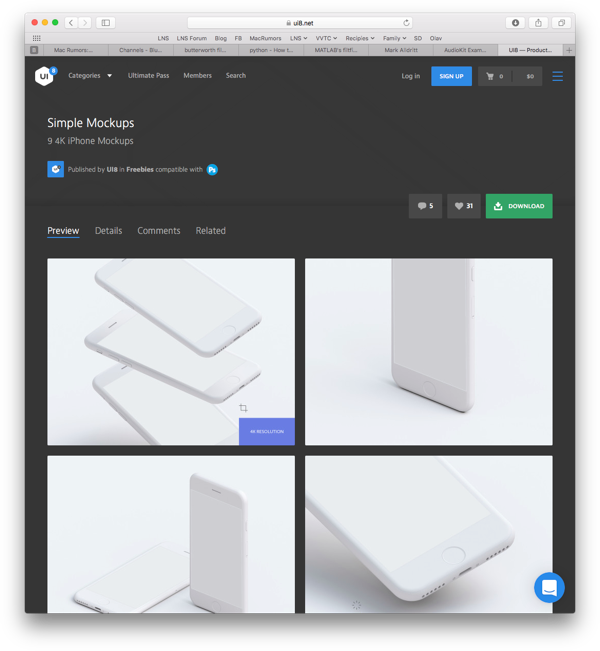
There are light (pictured) and dark versions available.
As you can see, there are several types of muckup offered ranging from 3 screens to 1 in various orientations.
##Example
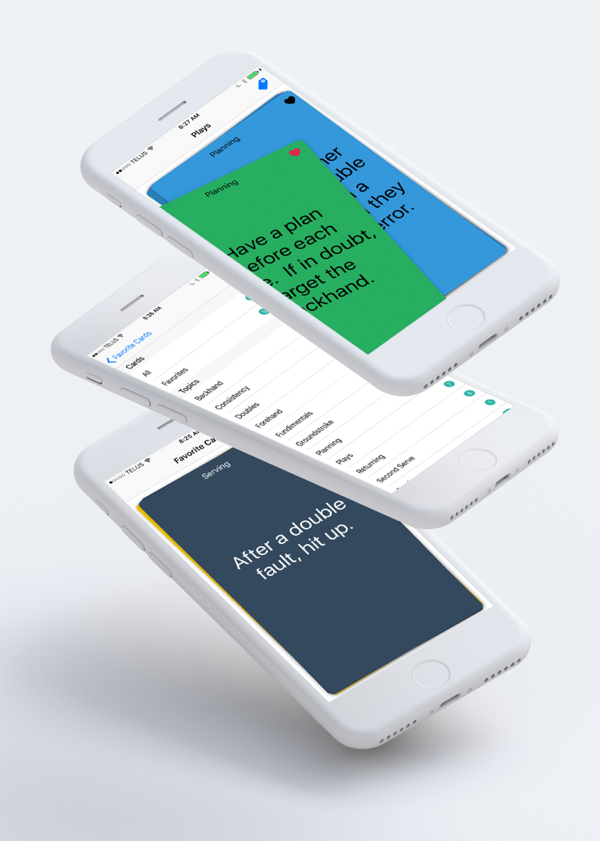
Using the UI8 light mockup, I was able to create this image for my Tennis Cards application:
##How To
Here’s a short video demonstration of how my example image was created:
[embed]www.youtube.com/watch
-
Animated Record Button with PaintCode
Here is an example of how to use PaintCode to create an animated button.
The code for this project is available on GitHub.
##Background
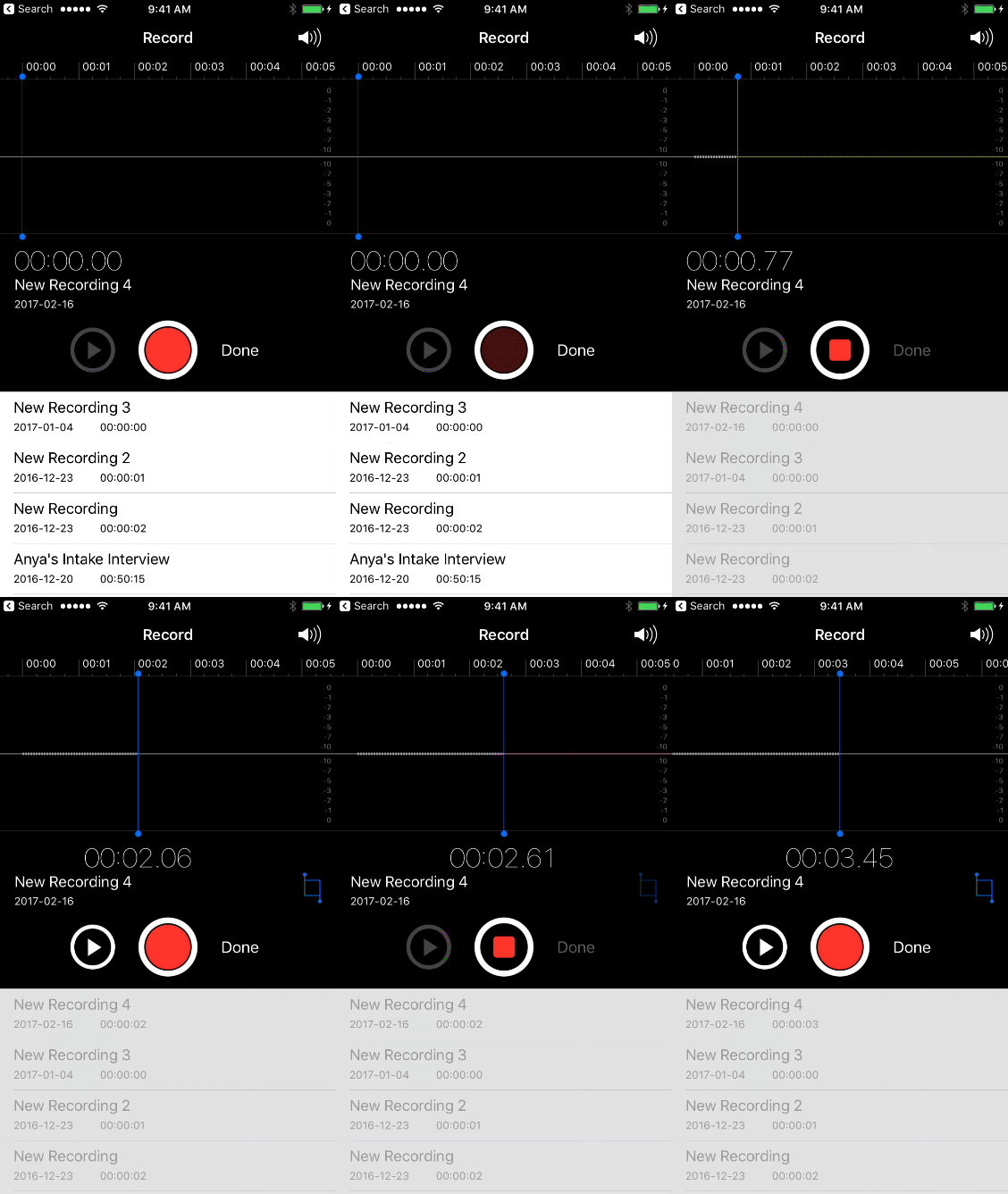
I wanted to create a record/stop button for a project I’m working on that mirrored the appearance of the record/stop button found in Apple’s iOS Camera Video recorder and Voice Recorder applications.
##PaintCode Design
PaintCode makes creating simple designs like this very simple.
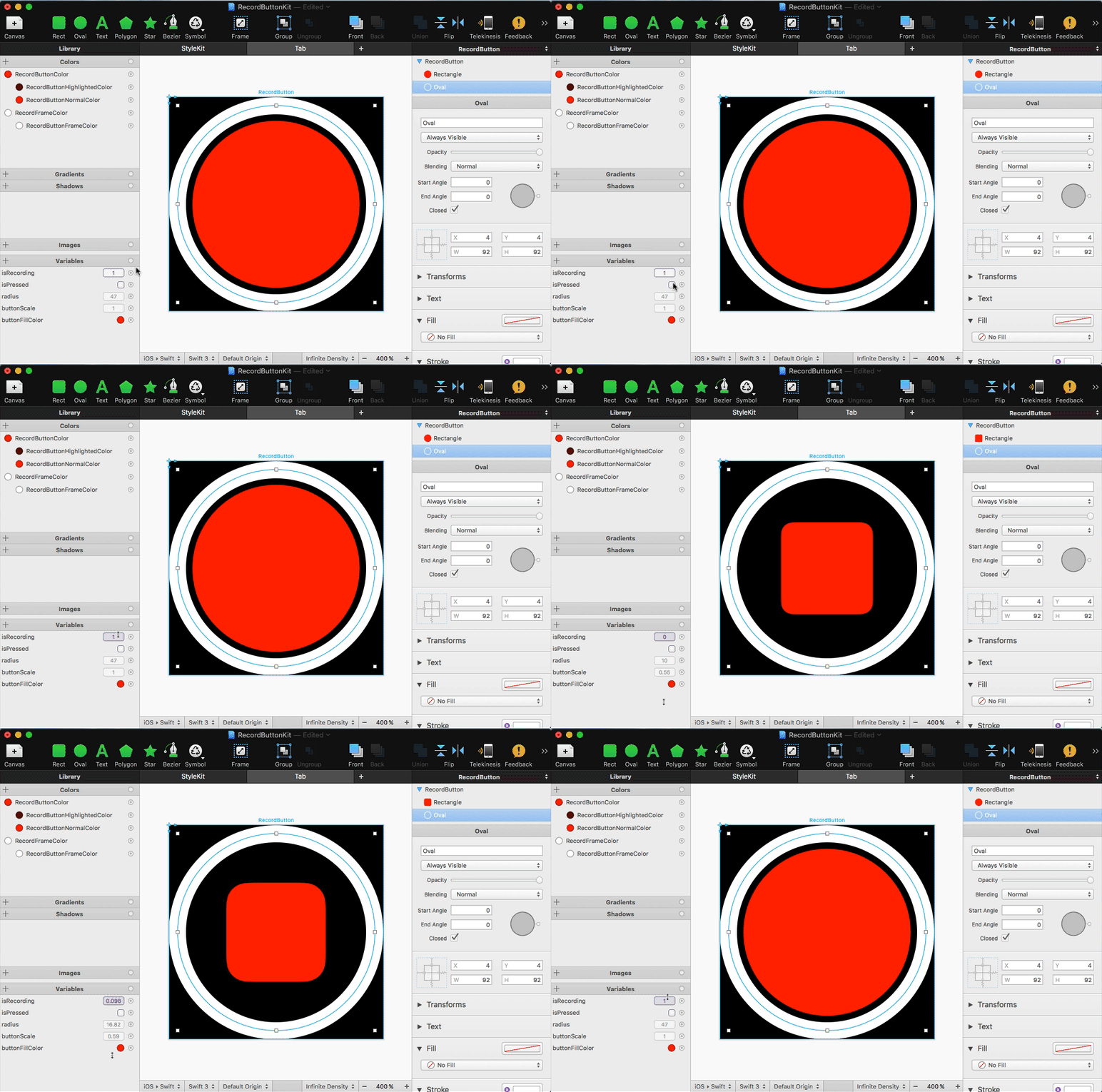
I have a square canvas in which there are two concentric circles. The outer circle is the button’s frame (white), and the inner circle is the tappable button (red).
Using PaintCode’s expressions I have two parameters:
- isPressed, a boolean, controls the color used to draw the inner circle
- isRecording, a fraction (0.0->1.0) controls the transition of the inner circle from a circle to a smaller rounded square
##The Code
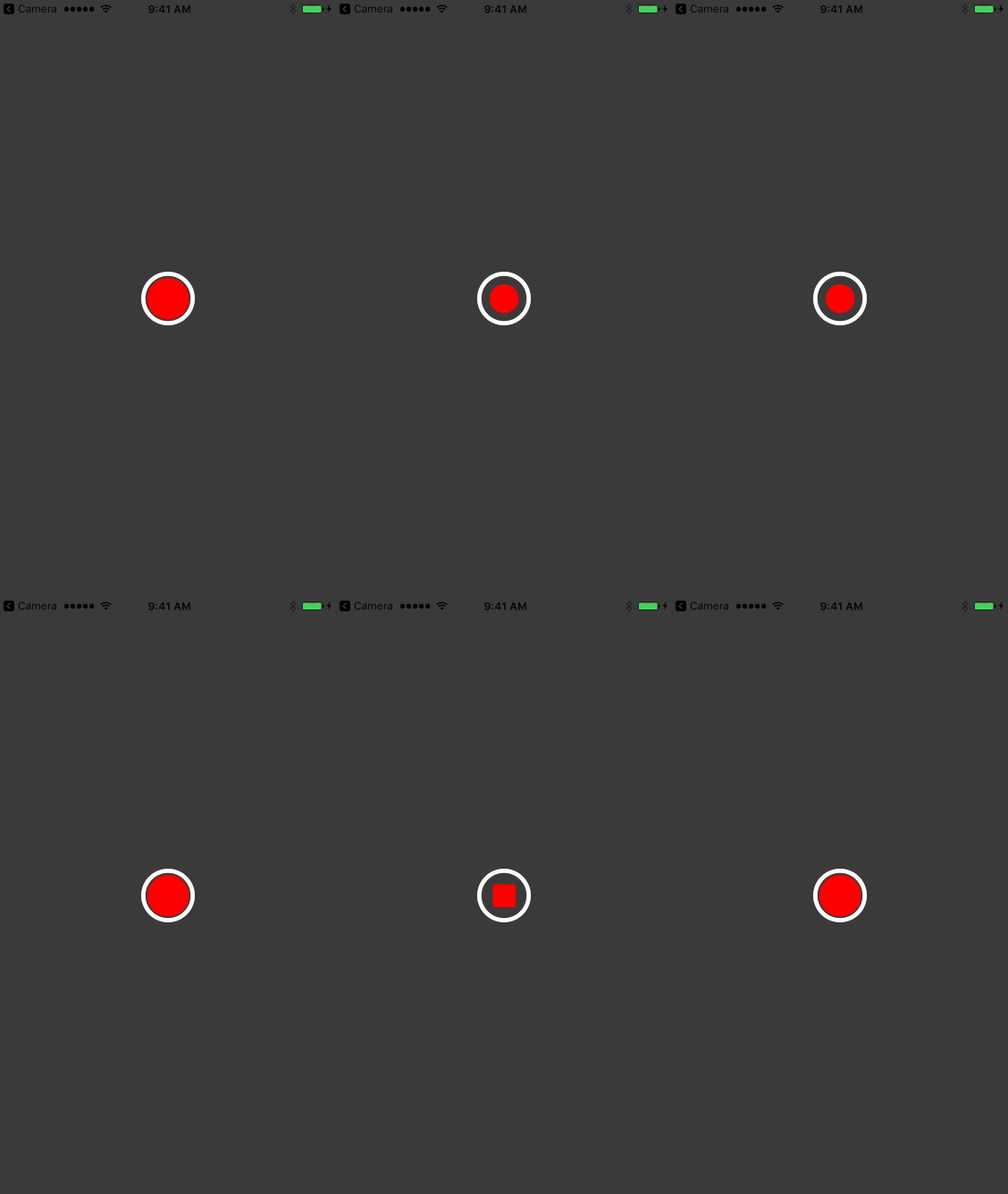
When the button is tapped, isPressed is set to true until the tap ends. When the tap ends, the value of isRecording is animated from 0.0 -> 1.0 or 1.0 to 0.0 depending on the state of the button. That’s it.
Here is the result:
subscribe via RSS