-
TextKit - Line Numbers
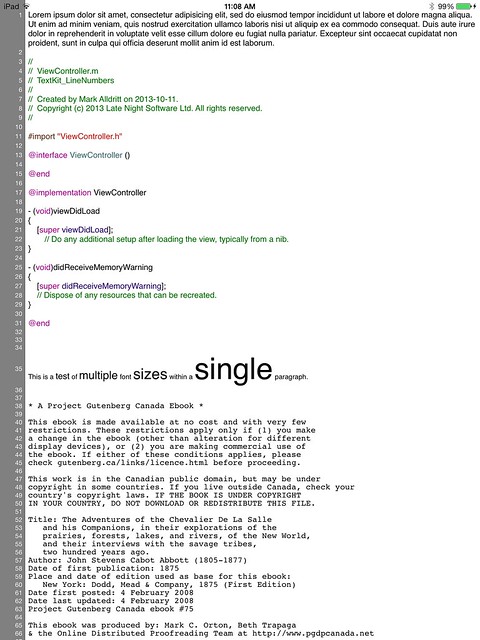
This sample code demonstrates one way of displaying line numbers in an iOS7 UITextView. This sample makes use of iOS7’s Text Kit classes and can accomodate texts with varying fonts from one paragraph to another.
-
RegEx Knife
I just realized that it has been almost a year since I have posted anything here. After such a long silence, I’m ready to show off some of my recent work. This is my first non-trivial iPad application, and I’m quite excited by what I have been able to achieve using Text Kit in iOS7.
RegEx Knife is a port of the Regular Expressions Tester functionality from Affrus 2 to the iPad. This tool allows you to enter regular expressions into a syntax highlighted editor, enter sample text against which the regular expression is matched, and finally, enter a substitution template which is used to transform the sample text.
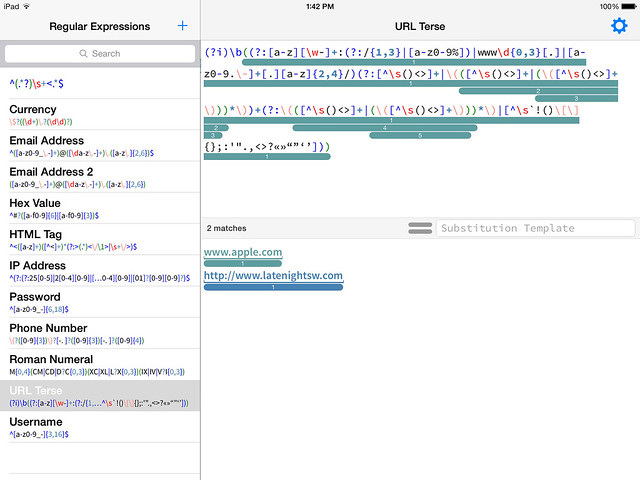
Rounded bars highlight capture groups in the regular expression and the actual text captured in the sample text.
When a substitution string is entered into the Substitution Template field, the sample text area at the bottom of the screen splits into two panes where you can simultaneously see the sample text and the text transformed by the substitution.
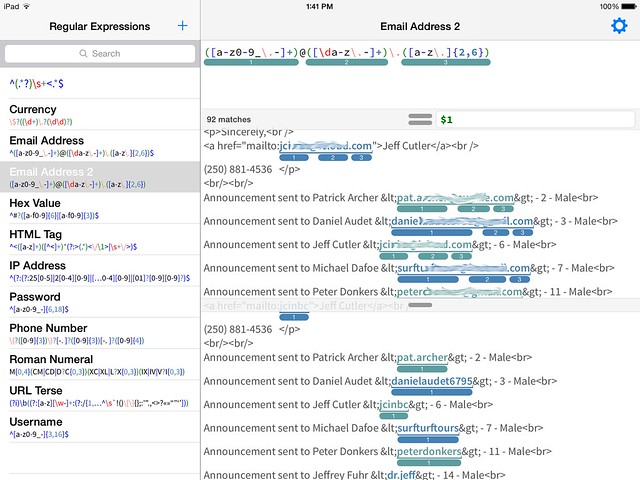
Notice that the capture groups are highlighted in both the sample text and also the transformed text where they indicating which group provided the resulting text.
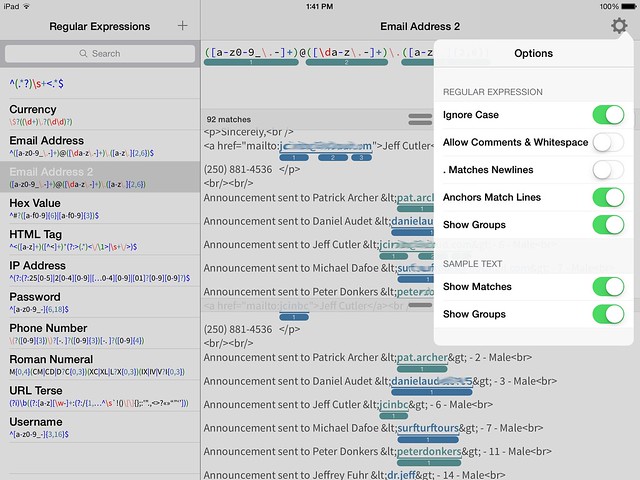
Here are the options you can alter which control how regular expressions are interpreted and how matches and groups are displayed.
subscribe via RSS